Video Description & Chapters Auto-Generator
Upload a video transcript, get SEO-optimized YouTube description, auto-generated chapter timestamps, and keyword suggestions—ready to paste.
Overview
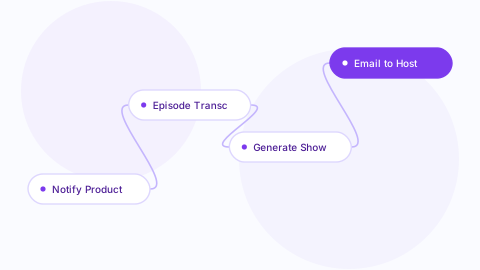
What it does: Submit a video transcript via webhook. The workflow uses OpenAI to: 1. Generate an SEO-optimized YouTube description (150-300 chars with keywords & CTA) 2. Identify natural chapter breaks and generate timestamps (format: 0:00 Intro, 2:15 Main Topic, etc.) 3. Suggest 5-7 search keywords with estimated search volume (using YouTube keyword intent patterns) Everything is saved to Notion with status "Ready to Upload," and your video team is notified in Slack. Business outcome: Cut video metadata work by 90%. Improve YouTube SEO with keyword-optimized descriptions. Better viewer experience with auto-generated chapters. Scale video publishing without manual timestamping. Nodes & apps: Webhook trigger, OpenAI GPT-4o, Notion database, Slack notifications. Credentials needed: 1. OpenAI API key 2. Notion API key + video content database ID 3. Slack workspace access Setup steps: 1. Create Notion database with fields: Video Title, Description, Chapters, Keywords, Status 2. Get OpenAI API key 3. Map Notion database ID to workflow 4. Configure Slack channel (#video) for notifications 5. Set up webhook endpoint (e.g., via a form or Zapier) 6. Test by submitting a sample transcript 7. Deploy for your video team 8. Integrate with your transcription service (Rev, Otter, etc.) Difficulty: Medium | Setup time: 12-18 minutes | Price: $23
What's included
Quickstart
- 01
Download the JSON
With an active Library Pass, download the workflow file right from this page or your dashboard.
- 02
Import into n8n
Choose Import from File and select the downloaded JSON. The full agent graph appears, ready to configure.
- 03
Plug in credentials
Each integration node prompts for credentials on first run. The setup guide lists every credential the agent expects.
- 04
Activate and test
Run once with sample input, confirm the expected output, then flip the activate toggle.
Reviews (0)
No reviews yet. Be the first.
Sign in to leave a review.
Included with any pass
This agent — and every other in the library — comes with a Library Pass. One pass, the whole catalog.
Get a Library Pass- Every agent in the library
- All new releases while active
- Unlimited downloads
- Commercial-use license
- Priority email support
- 30-day money-back guarantee
More in Publishing
Blog to Social Repurposer
Auto-generate LinkedIn posts, Twitter threads, and newsletter teasers from each new blog post — one publish triggers three sales channels.
YouTube Transcript to Blog Post
Convert your YouTube video transcripts into fully-formatted blog posts with SEO structure — save hours of writing.
Editorial Calendar Sync (Sheets to Notion)
Keep your Google Sheets editorial calendar and Notion team workspace in sync automatically — single source of truth.